Theatre
Our 16-seat theater is a fun gathering place with a 137” screen. It is a Wi-Fi streaming system which will allow you to sign in with Roku to access your Netflix, Amazon Prime or Hulu accounts as well as allow you to hook up a Laptop, Xbox or PlayStation with a plugged into system auxillary cable that is provided.
Please see specific instructions below and in the theater room on how to use the equipment. Please DO NOT unplug any wires, cables or press buttons on the projector.
There are dozens and dozen of DVD’s just outside the theatre entrance. Please feel free to enjoy and take care to return DVDs to their rightful case.
1. Light switch to Theater is on your right inside entry way.
2. Projector will take a minute or two to warm up when turned on.
3. There is a universal digital display remote in a charging cradle. Power on button turns on projector as well as pushing any of the below options buttons.
4. On remote display there are three options: Roku, Blue Ray Disc Player, Auxillary
5. Roku button will bring up options to press and log into your Netflix, Prime or other channels.
6. Blue Ray Disc button will power on Blue Ray DVD player and give you control options of Blue Ray DVD player
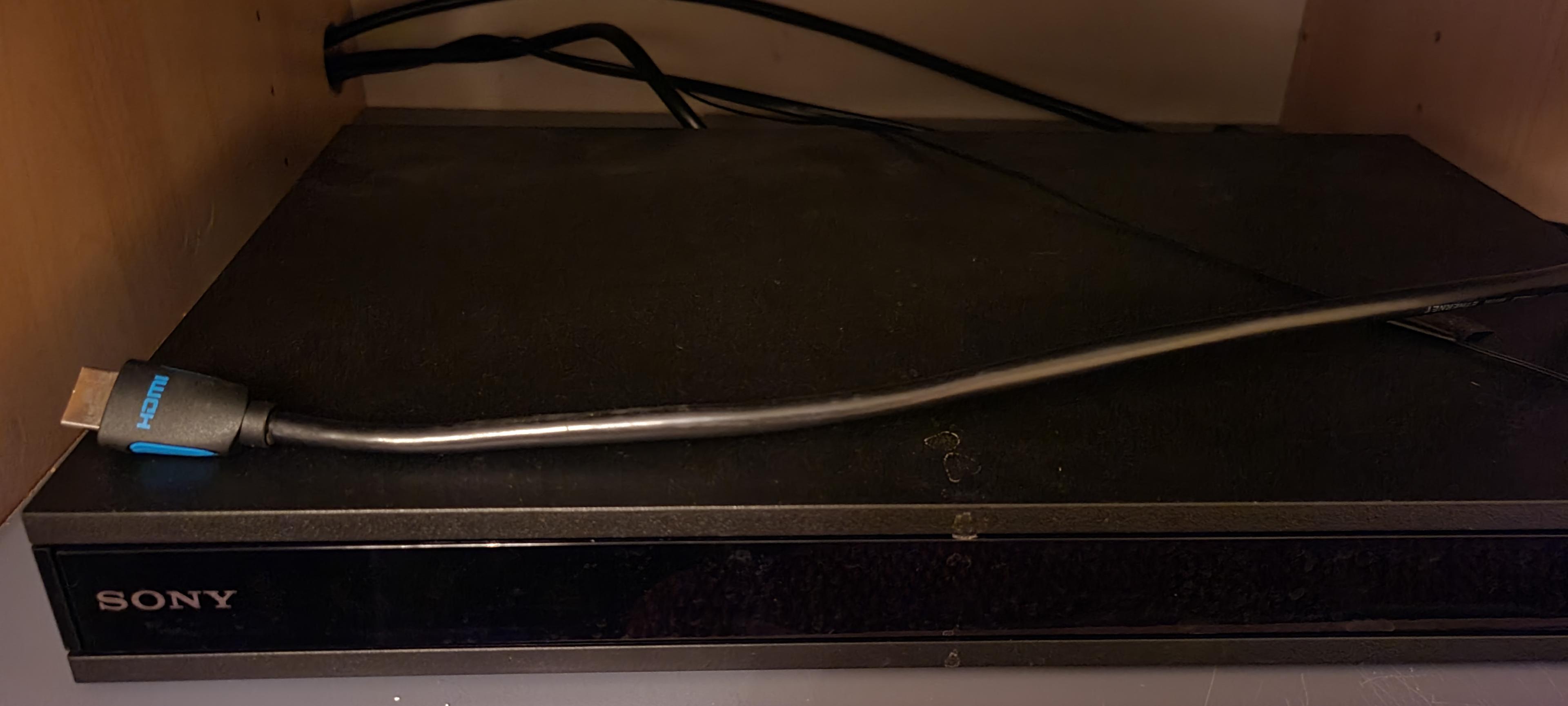
7. Auxiliary button will allow you to play your Xbox, Playstation or Laptop. Plug in the provided wired into the system HDMI cable laying atop of Blue Ray player in order to play your unit.
8. Power off button on remote shuts off everything.
9. Please DO NOT switch any cables or push any other buttons on the projection unit or the back of Blue Ray player. The remote is custom programmed with the system. If you do we will charge you a $300 reprogramming/configuring fee!
10. Light dimmer switch below projector console to dim/brighten lights to desired levels.
11. ALWAYS place remote control back into charging cradle when done in theater. It will lengthen the battery life of remote by 4 years.